Why Barcode Scanning Matters for Nutrition Tracking
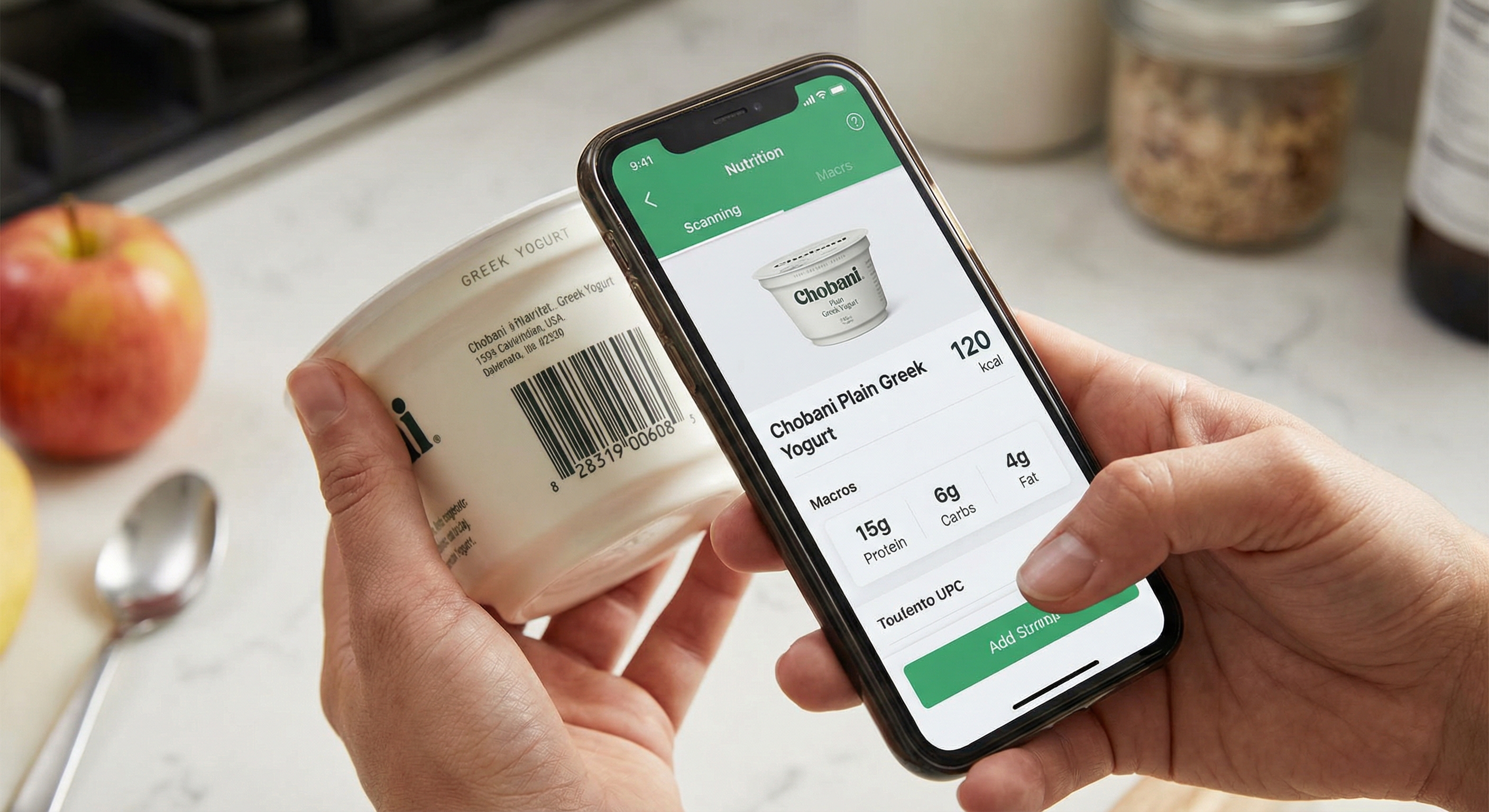
A barcode scanner nutrition app turns any packaged food into an instant, accurate log entry. Instead of searching a database for "Greek yogurt" and hoping you pick the right brand and flavor from a list of hundreds, you scan the UPC on the container and get the exact nutritional profile for that specific product — calories, macros, micronutrients, serving size, and ingredients — in under two seconds.
This matters because manual searching is where most logging errors originate. The difference between "Chobani Plain Nonfat Greek Yogurt" and a generic "Greek yogurt" entry can be 40–60 calories per serving. Over three meals and two snacks per day, those small discrepancies compound into meaningful inaccuracies.
A 2018 study published in Obesity found that dietary self-monitoring frequency was the strongest predictor of weight loss success, with consistent trackers losing 50% more weight over six months — and barcode scanning is one of the most effective tools for maintaining that consistency because it reduces logging time to seconds.
For anyone who eats packaged foods regularly — protein bars, canned goods, dairy products, cereals, frozen meals — a food barcode scanner eliminates guesswork and turns accurate tracking into a near-effortless habit.
"The greatest barrier to sustained dietary self-monitoring is perceived burden. Technologies that reduce the time and cognitive effort required for food logging — such as barcode scanning and image recognition — are critical for long-term adherence." — Dr. Jean Harvey, Professor of Nutrition, University of Vermont
How Barcode Scanning Works in Nutrition Apps
When you scan a barcode with a nutrition label scanner app, a multi-step process happens in the background:
- Barcode Recognition: Your phone's camera captures the UPC (Universal Product Code) or EAN (European Article Number) barcode. The app decodes the numeric string embedded in the barcode pattern — typically 12 or 13 digits.
- Database Lookup: The decoded number is sent to the app's food database, which maps barcode numbers to specific products. Large databases contain millions of products sourced from manufacturer data, government food composition tables (like the USDA FoodData Central), and community contributions.
- Nutritional Retrieval: The matching product record returns its full nutrition facts panel — calories, total fat, saturated fat, trans fat, cholesterol, sodium, total carbohydrates, dietary fiber, sugars, added sugars, protein, and available micronutrients.
- Serving Adjustment: Most apps let you adjust the serving size after scanning. If the label lists a serving as 30g but you ate 60g, you set the multiplier to 2x and all values scale accordingly.
- Logging: The adjusted entry is saved to your daily food diary, updating your calorie and macro totals in real time.
The entire process — from pointing your camera at the barcode to seeing the entry in your tracker — typically takes two to five seconds. Compare that to 30–90 seconds for a manual database search, and the efficiency advantage is clear.
What About Products Without Barcodes?
Fresh produce, bakery items, deli counter foods, and restaurant meals generally lack barcodes. For these, most apps fall back to database search, AI photo recognition, or manual entry. The best barcode scanner nutrition apps offer all of these methods so you always have a fast option regardless of what you're eating.
Top Barcode Scanner Apps Compared
Not all barcode scanner nutrition apps are created equal. Here's how the leading options compare across the features that matter most:
MyFitnessPal
MyFitnessPal has one of the largest food databases in the industry, with over 14 million items. Its barcode scanner is fast and generally reliable for common products. However, because much of the database is community-contributed, you may encounter duplicate entries or outdated nutritional information for some products. The free tier includes barcode scanning, but advanced macro insights require a premium subscription.
Cronometer
Cronometer prioritizes data accuracy over database size. Its entries are sourced primarily from verified government databases such as the USDA and NCCDB rather than user submissions. Barcode scanning is available and reliable, though the product catalog is smaller than MyFitnessPal's. Cronometer is particularly strong for micronutrient tracking alongside barcode-scanned macros.
Yazio
Yazio offers clean barcode scanning integrated with its meal planning and fasting timer features. Its database covers common products in North America and Europe well, though it can be thinner on niche or regional brands. The app's strength is combining scanning with personalized meal recommendations.
FatSecret
FatSecret provides free barcode scanning with a substantial database. It also includes a community feature where users can verify and correct product entries, which helps maintain accuracy over time. The interface is functional but less polished than some competitors.
Lose It!
Lose It! pairs its barcode scanner with a visual food recognition feature called Snap It. The combination means you can scan packaged foods and photograph fresh foods within the same workflow. According to a 2019 review in the International Journal of Behavioral Nutrition and Physical Activity, app-based dietary monitoring showed 50% higher adherence rates than paper-based methods, largely driven by features like barcode scanning that reduce per-entry effort.
NutriMind
NutriMind combines barcode scanning with AI photo recognition, database search, and manual entry — letting you use whatever method is fastest for each food. Its barcode database is verified against manufacturer labels, and scanned entries include full macro and micronutrient breakdowns. NutriMind also offers an AI Macro Coach that can answer questions about scanned foods, such as "Is this protein bar worth the sugar?" — adding an educational layer on top of the raw data.
What to Look for in a Barcode Scanner App
When choosing a barcode scanner nutrition app, evaluate these five factors:
- Database size and accuracy: A large database matters, but accuracy matters more. Apps that rely solely on community-submitted data may contain errors. Look for apps that cross-reference entries with verified sources like the USDA or manufacturer-provided data.
- Scan speed and reliability: The scanner should read barcodes quickly even in low light or at slight angles. Apps that require perfectly aligned, well-lit scans add unnecessary friction.
- Fallback logging methods: No barcode scanner covers every product. The app should offer robust alternatives — database search, photo recognition, or manual entry — for items that don't scan.
- Serving size flexibility: You should be able to adjust portions in grams, ounces, cups, or fractions of the package. A scanner that locks you into fixed serving sizes limits accuracy.
- Nutritional depth: Some apps only show calories and macros after a scan. Better apps display the full nutrition facts panel, including fiber, sodium, added sugars, and key micronutrients — the same information you'd get by reading the physical label.
Data from the USDA FoodData Central shows that their database now contains nutritional profiles for over 400,000 food items, including branded products — apps that integrate with this verified data source tend to deliver the most reliable barcode scan results.
Limitations of Barcode Scanning and Tips for Accuracy
Barcode scanning is powerful, but it has real limitations worth understanding:
Common Limitations
- Products not in the database: Small brands, local products, store-brand items, and international imports may not have barcode entries. This is especially common outside the United States.
- Outdated entries: Manufacturers reformulate products regularly, changing ingredient lists and nutritional profiles. If the database entry hasn't been updated, your scan returns stale data.
- Serving size confusion: A scanned entry may default to the label's serving size, which might not match what you actually ate. Always verify and adjust the portion.
- Prepared vs. raw barcodes: A barcode on a box of pasta gives you nutritional data for dry pasta. If you cooked it, the weight changes significantly — 100g dry pasta becomes roughly 200–220g cooked. Make sure you're logging the right state.
Tips for More Accurate Barcode Logging
- Weigh your portions. After scanning, use a food scale to enter the exact weight you consumed rather than relying on the label's "about 15 chips" serving description.
- Cross-check new products. The first time you scan a product, compare the app's data against the physical label. If they don't match, report the error or create a custom entry.
- Scan before eating. It takes two seconds and prevents the "I'll log it later" trap that leads to forgotten entries.
- Use scanning for meal prep. When cooking with multiple packaged ingredients, scan each one as you add it. This builds an accurate recipe that you can reuse.
Barcode Scanning with NutriMind
NutriMind's barcode scanner is designed to be fast, accurate, and part of a larger logging ecosystem. When you scan a product, you see the complete nutritional breakdown — not just calories and macros, but fiber, sodium, added sugars, and key vitamins and minerals. You can adjust the serving size in grams, ounces, or fractional servings, and the entry saves to your daily tracker instantly.
What sets NutriMind apart is that barcode scanning is just one of several integrated logging methods. If a product doesn't scan, you can photograph it with AI recognition, search the verified database, or create a custom entry. All methods feed into the same daily tracker, so you get a complete picture of your nutrition regardless of whether your meals come from packages or from scratch.
NutriMind's AI Macro Coach also works with scanned data. After scanning a snack, you can ask questions like "Does this fit my remaining macros for the day?" or "What's a lower-sugar alternative?" — turning passive data entry into active nutritional guidance.
If you want a barcode scanner nutrition app that combines speed, accuracy, and intelligent coaching, try NutriMind free and see the difference a smarter logging experience makes.
Written by Johnny
Founder of NutriMind and health-tech developer. Johnny builds AI-powered tools that make nutrition tracking faster and more accessible for everyone.
Connect on LinkedIn →Try NutriMind Free
AI-powered food tracking, barcode scanning, macro coaching, and more — available on iOS, Android, and web.